- Documentation
- New stuff in ps>xr
- 3d rendering
3d rendering
What it does
The 3d rendering option changes the gameplay view from flat 2D tiles to a 3D scene.
This gives you depth, lighting, and clearer visual layering while keeping your game rules and object logic the same.
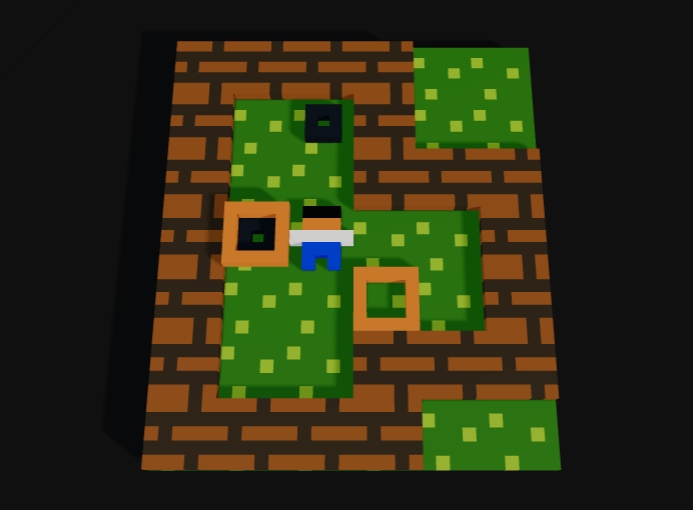
Example: a level rendered with 3d rendering enabled.
How to use it
- Add render_height in the prelude of your game script.
- Optional: add default_height <number> to adjust 3D object height (default is 0.2).
- Build and run the game as usual.
- Gameplay levels render in 3D automatically.
title Example
author You
render_height
default_height 0.35

========
OBJECTS
========
...
When to use it
- You want a stronger sense of depth and object stacking.
- You use layered visuals and want them easier to read.
- You want a more modern presentation without rewriting rules.
Notes for creators
- 3D view is for gameplay screens; text/menu screens remain in their normal style.
- Your puzzle mechanics do not change; only presentation changes.
- default_height only affects 3D rendering when render_height is enabled.
- If default_height is omitted or invalid, the renderer uses 0.2.
- Test readability on several levels and keep sprites clear and high contrast.
 Puzzlescript Next